
Project Setup
To set up a project, the project panel provides the ability to add a preexisting project or to copy a sample project as a starting point.
Adding a Project
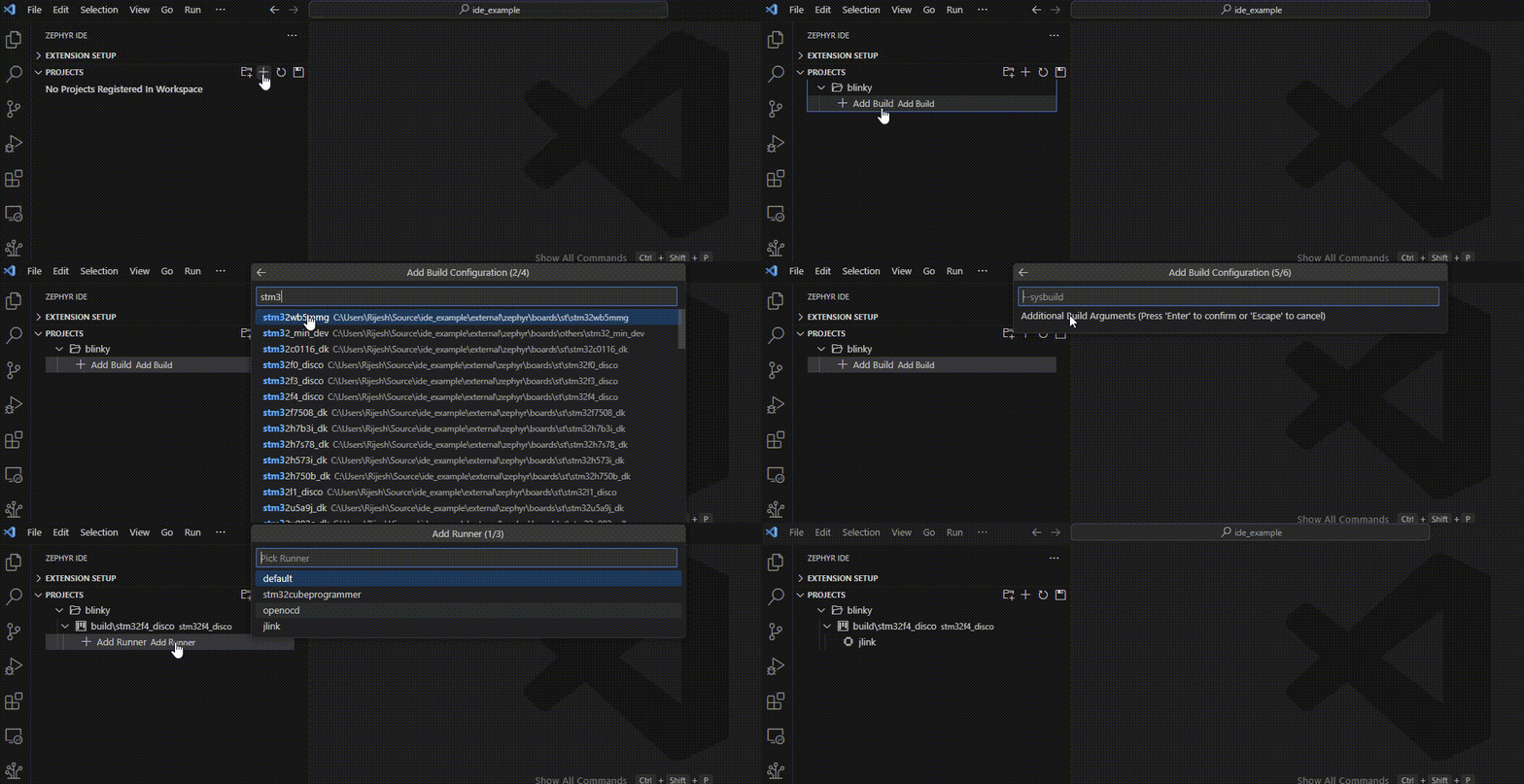
In the following example, the blinky project is added from the Zephyr sample folder. An STM32F4 build is added to the project.
Multiple Builds
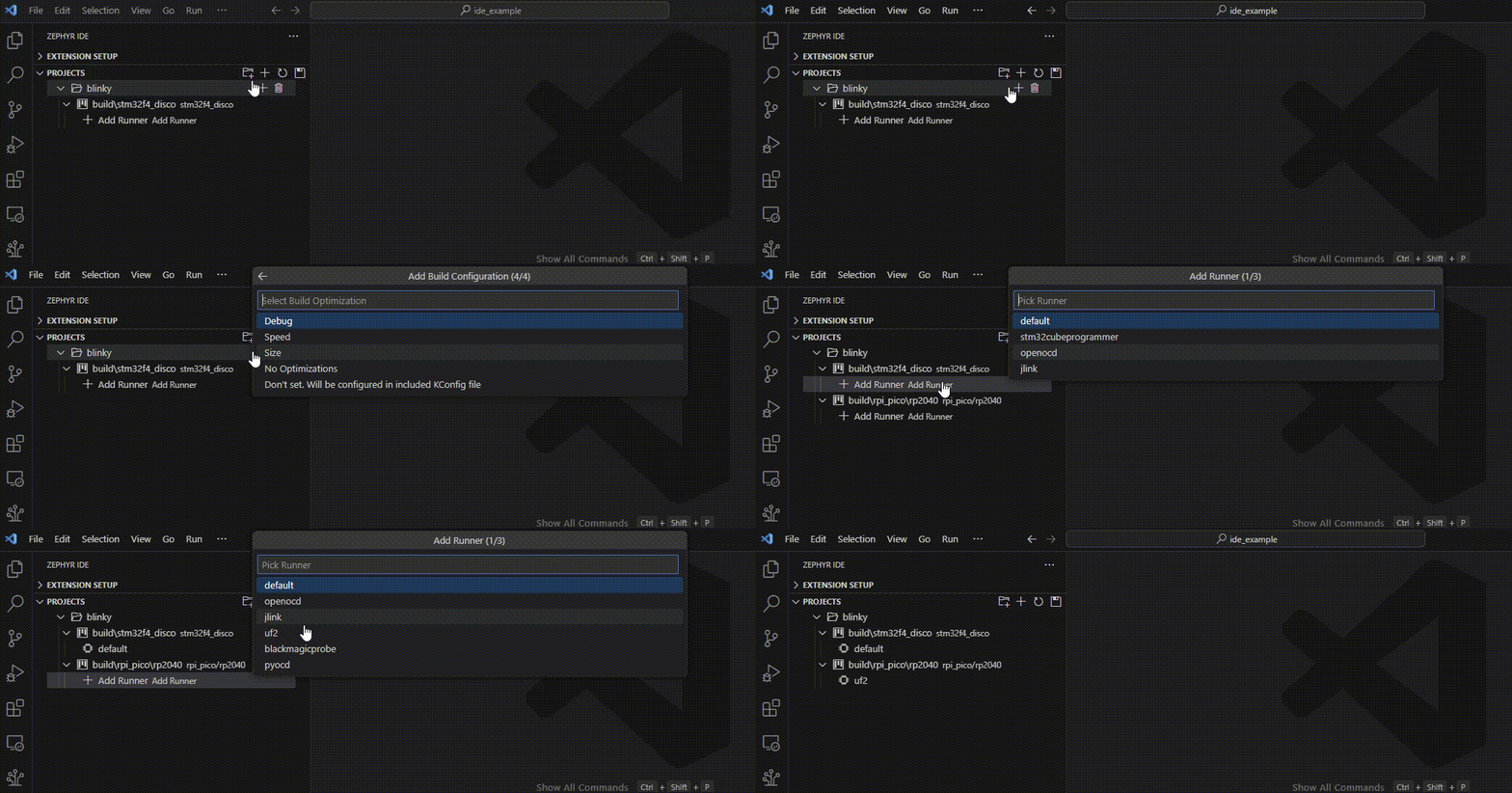
Each project can have multiple builds associated with it. Each build may also have multiple runners associated with each specific build.
In this example, a Raspberry PI Pico board/build is added to the blinky project. The default runner is added to the original build and the UF2 runner is added to the Pico build.
Project Configuration File
The project configuration is stored in a human-readable JSON file, which allows users to manually modify the projects or commit them to a repo to share the workspace with team members.
