
Testing with Twister
The extension supports testing with twister. Look for the beaker icon to get started. Test configurations are handled similarly to build configurations.
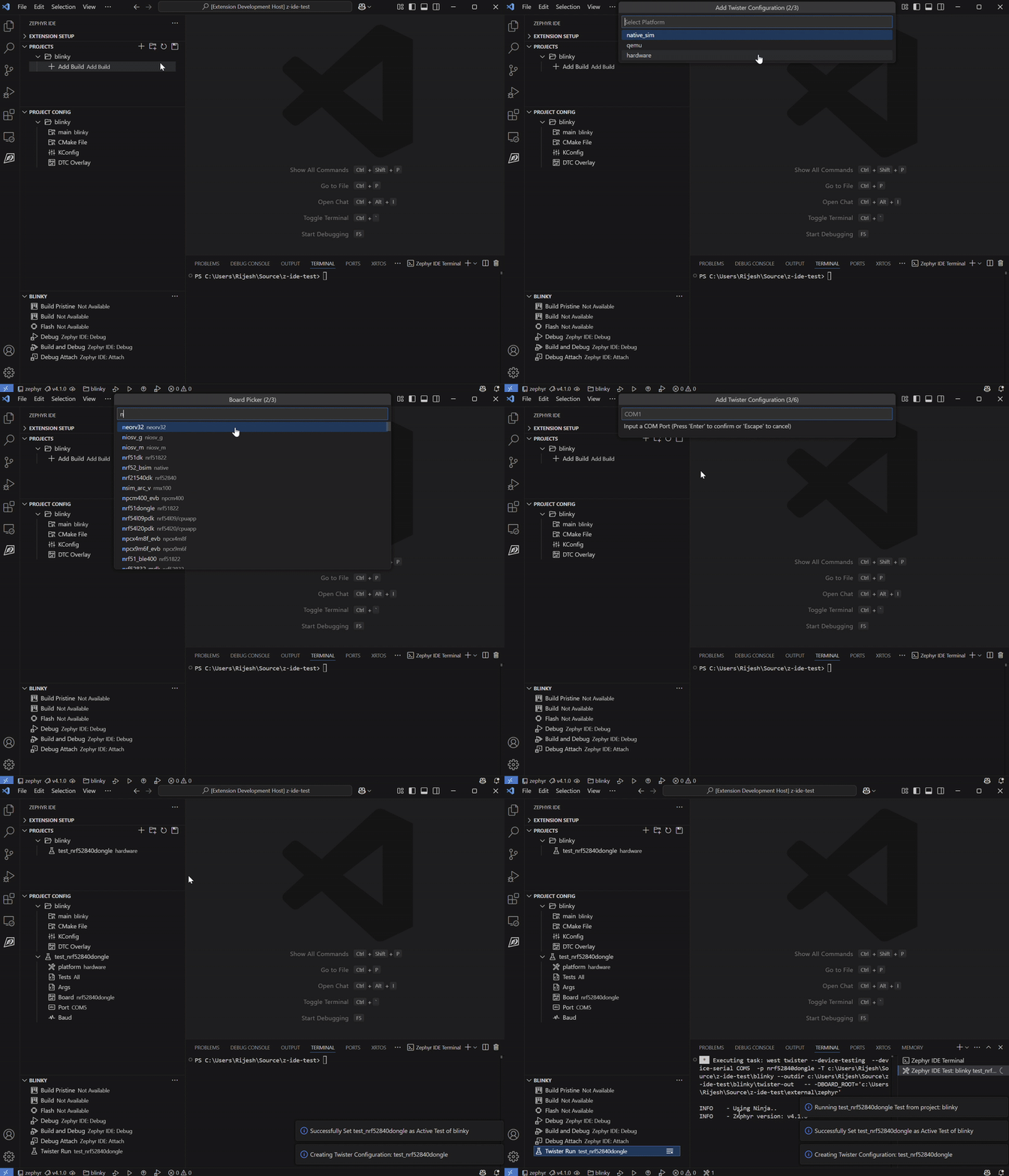
Adding Tests
To add a Twister test:
- Click the beaker icon in the Zephyr IDE sidebar
- Select the test configuration you want to add
- Configure the test parameters
- Run the test
Test Configuration
Test configurations work similarly to build configurations:
- Multiple test configurations per project
- Configurable test parameters
- Results displayed in the test panel
Running Tests
You can run tests using:
- The beaker icon in the sidebar
- Command Palette:
Zephyr IDE: Run Test - The Active Project Panel