
Setup Panel
When you first open a workspace in VS Code with Zephyr IDE installed, you can access the Setup Panel through:
- The Zephyr IDE sidebar activity bar icon
- Command Palette:
Zephyr IDE: Setup Workspace - The Extension Setup View panel
The Setup Panel is the central hub for configuring your Zephyr development environment. It provides a card-based interface with three main areas.
Setup Panel Overview
The Setup Panel presents three configuration cards:
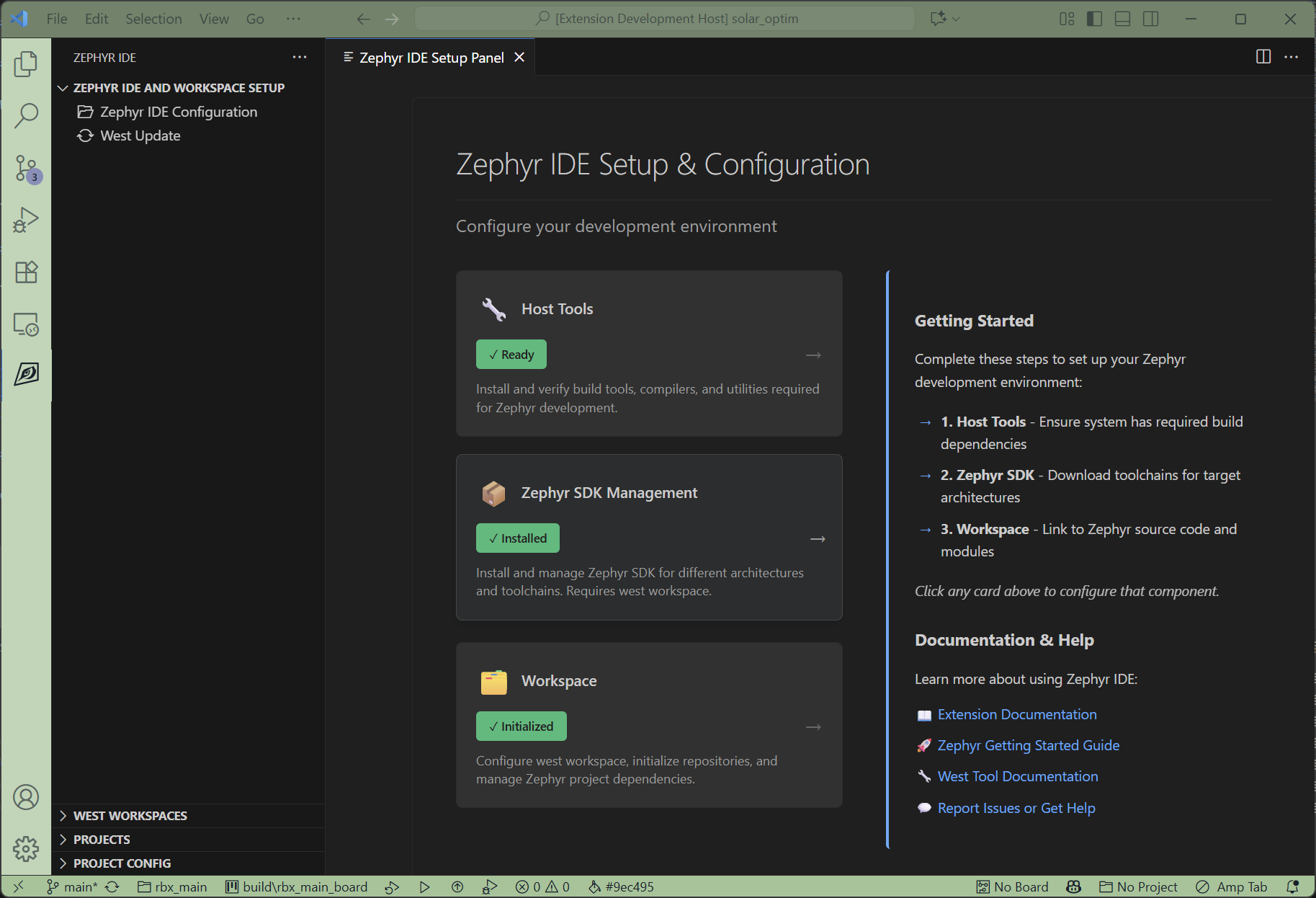
- Host Tools - Install and verify build tools required for Zephyr development
- Zephyr SDK Management - Install and manage Zephyr SDK for different architectures
- Workspace - Configure west workspace and Zephyr project dependencies
Click on any card to access detailed configuration options for that component.