
Project Setup
To set up a project, the project panel provides the ability to add a preexisting project or to copy a sample project as a starting point.
Adding a Project
Section titled “Adding a Project”In the following example, the blinky project is added from the Zephyr sample folder. An STM32F4 build is added to the project.
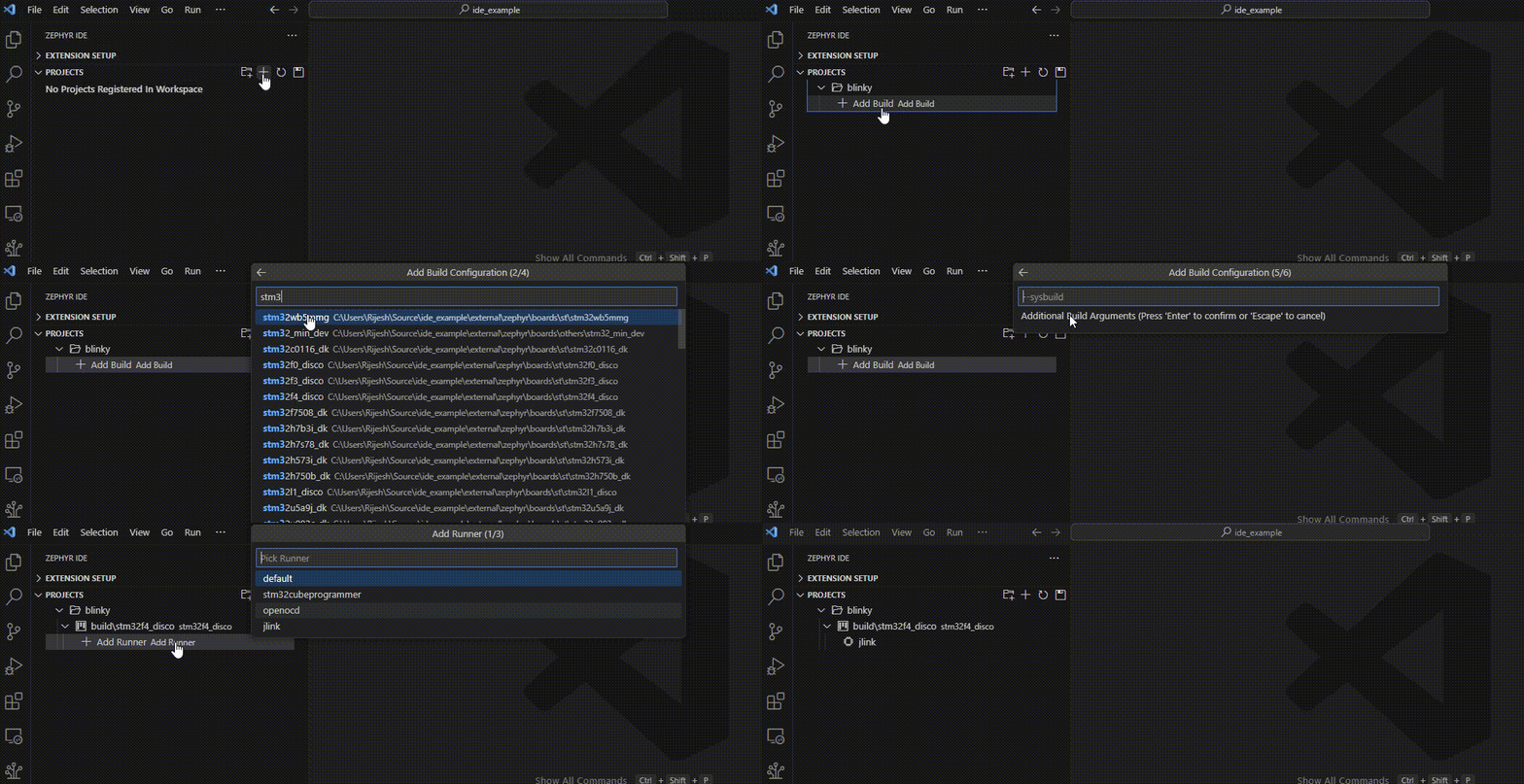
Multiple Builds
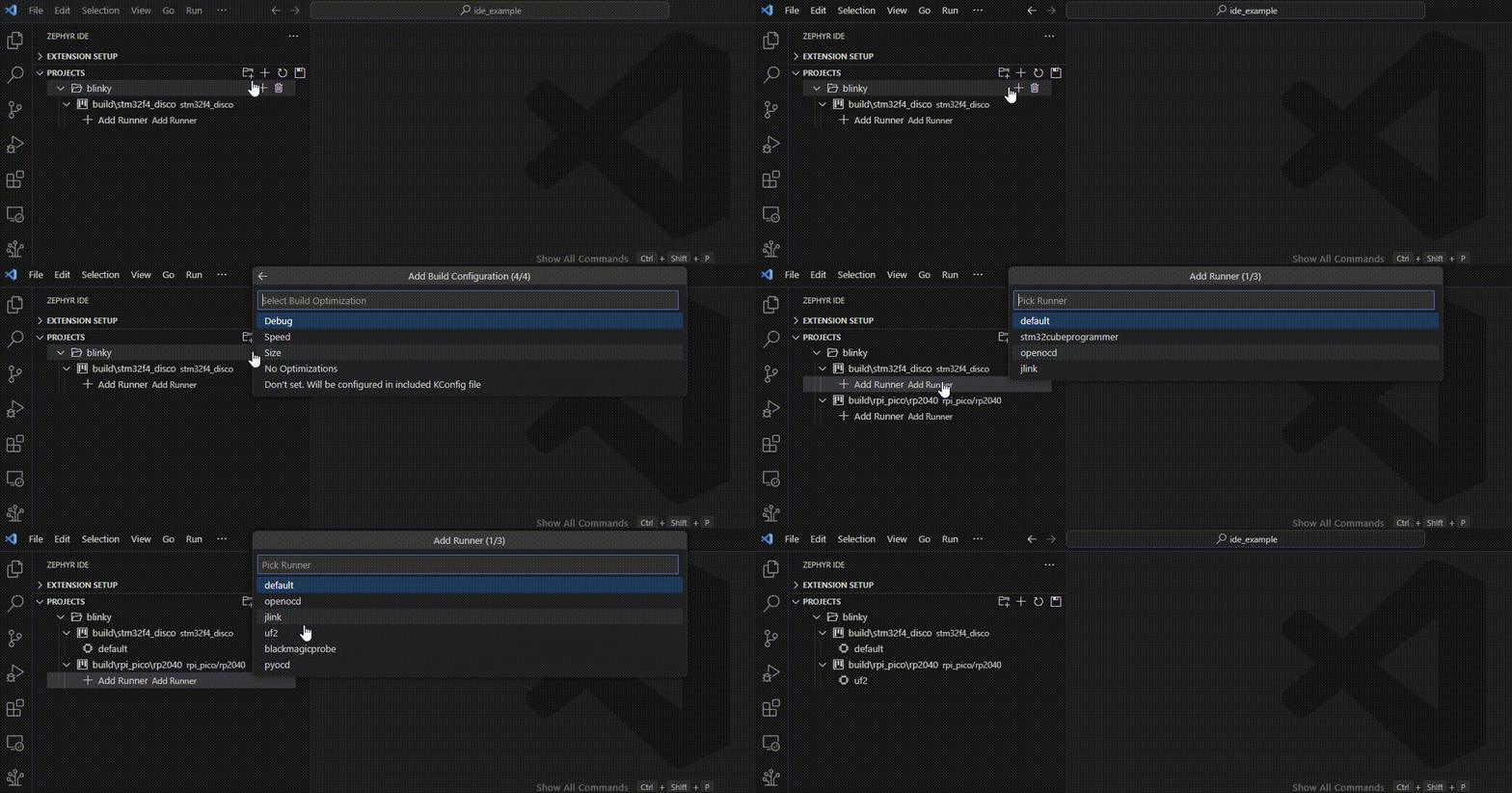
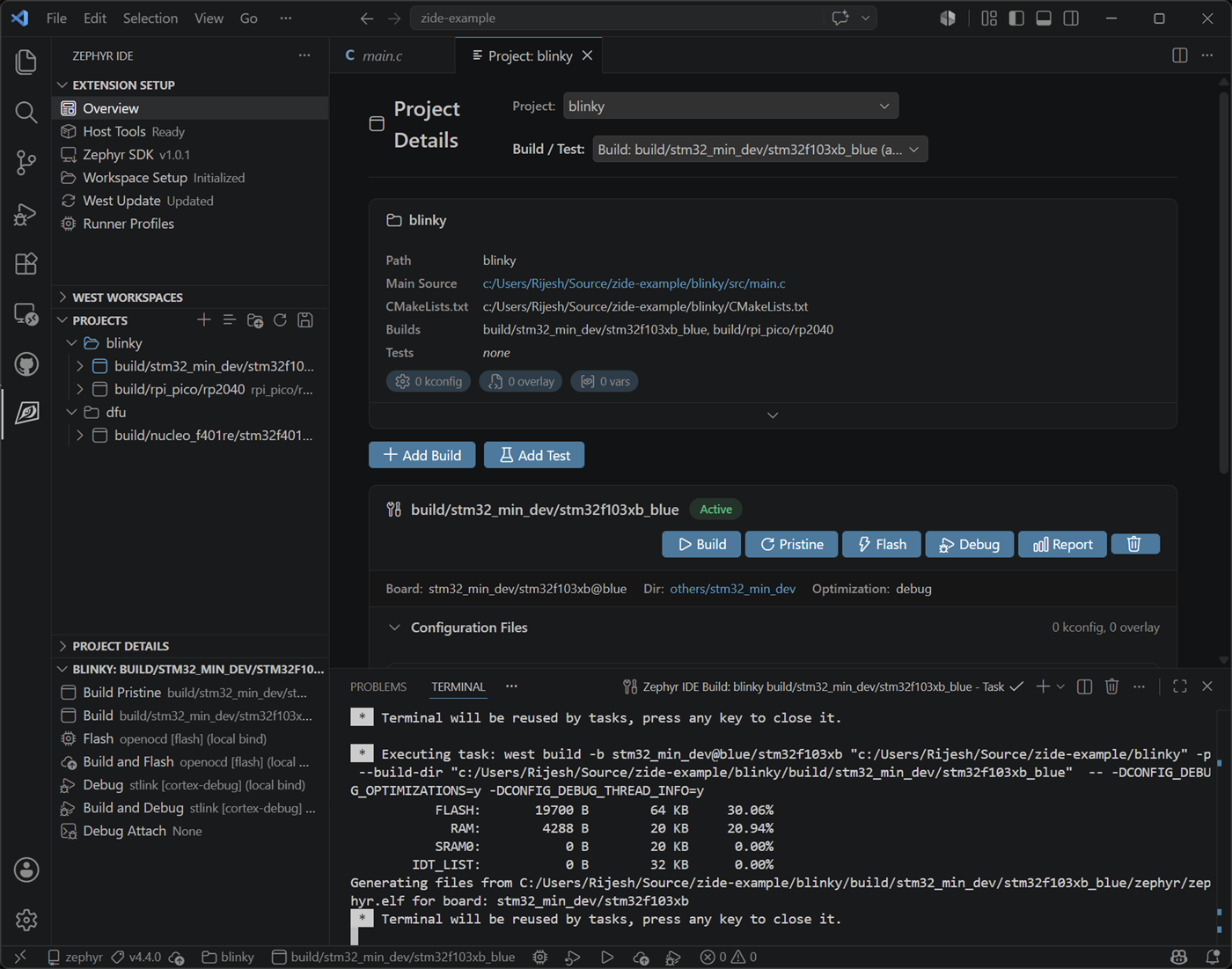
Section titled “Multiple Builds”Each project can have multiple builds associated with it. Each build may also have multiple runners associated with each specific build.
In this example, a Raspberry PI Pico board/build is added to the blinky project. The default runner is added to the original build and the UF2 runner is added to the Pico build.
Project Configuration File
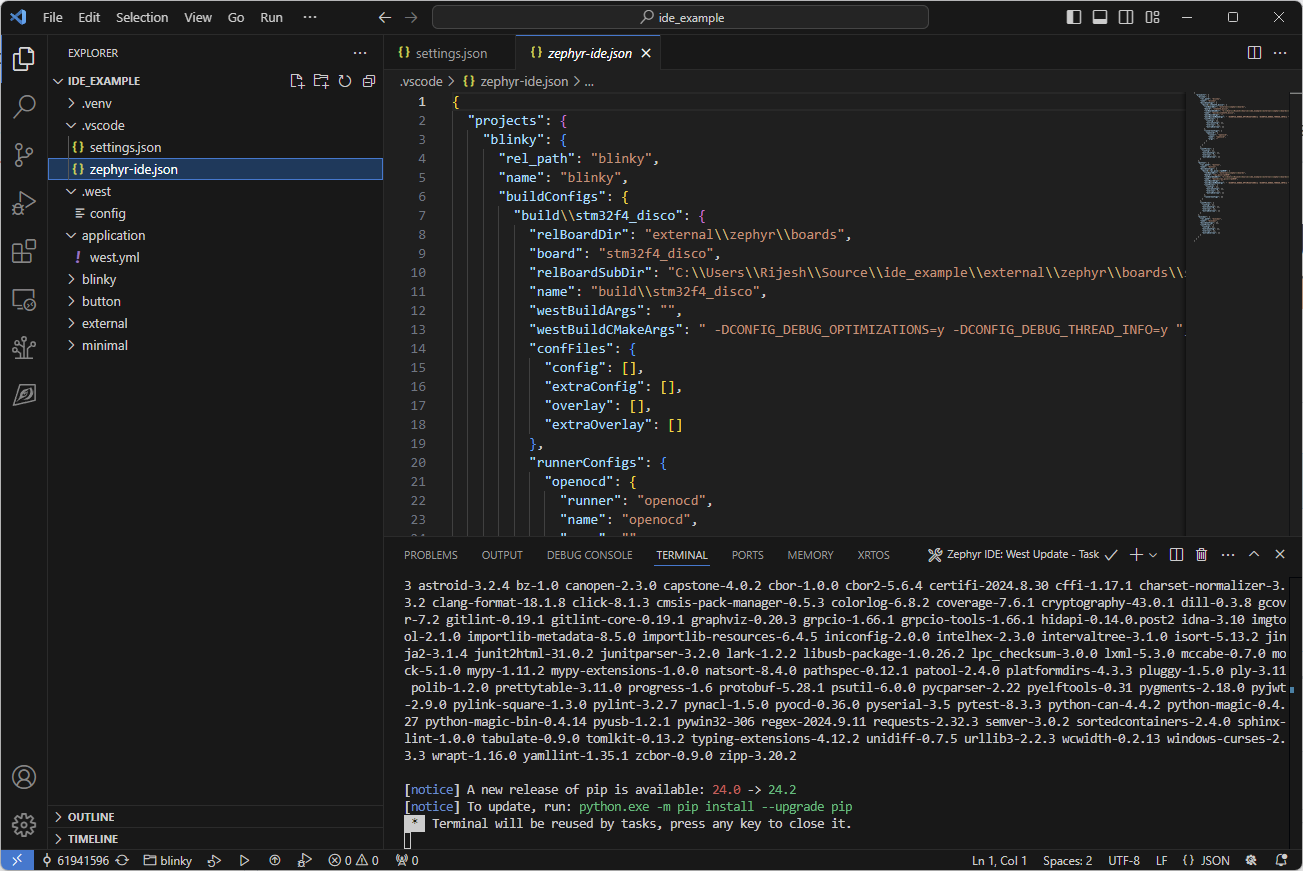
Section titled “Project Configuration File”The project configuration is stored in a human-readable JSON file, which allows users to manually modify the projects or commit them to a repo to share the workspace with team members.
Custom Build Folder
Section titled “Custom Build Folder”By default, the build output for each build configuration is placed inside the project folder at <project_dir>/<build_config_name>. The build config name can contain slashes (e.g. build/nrf52840dk/nrf52840), so the default output path in that case would be apps/sensors/accel_polling/build/nrf52840dk/nrf52840.
If you need to place build artifacts elsewhere — for example outside the project folder or in a shared directory — you can manually add a relPath field to the build configuration in .vscode/zephyr-ide.json. The value must be a path relative to the workspace root; absolute paths are not supported, and parent-directory references (../) are only permitted when the fully resolved path still lies within the workspace root.
{ "projects": { "accel_polling": { "relPath": "apps/sensors/accel_polling", "name": "accel_polling", "confFiles": { "config": [], "overlay": [] }, "twisterConfigs": {}, "buildConfigs": { "build/nrf52840dk/nrf52840": { "name": "build/nrf52840dk/nrf52840", "relPath": "shared_builds/accel_polling/nrf52840", "board": "nrf52840dk/nrf52840", "relBoardDir": "zephyr/boards/nordic", "relBoardSubDir": "nrf52840dk", "compilerOptimization": "debug", "westBuildArgs": [], "westBuildCMakeArgs": [], "confFiles": { "config": [], "overlay": [] } } } } }}In this example the build output will be placed at <workspace_root>/shared_builds/accel_polling/nrf52840 instead of the default location inside the project folder. This field is not exposed in the UI and must be set manually.
For the complete file schema, see .vscode/zephyr-ide.json reference.